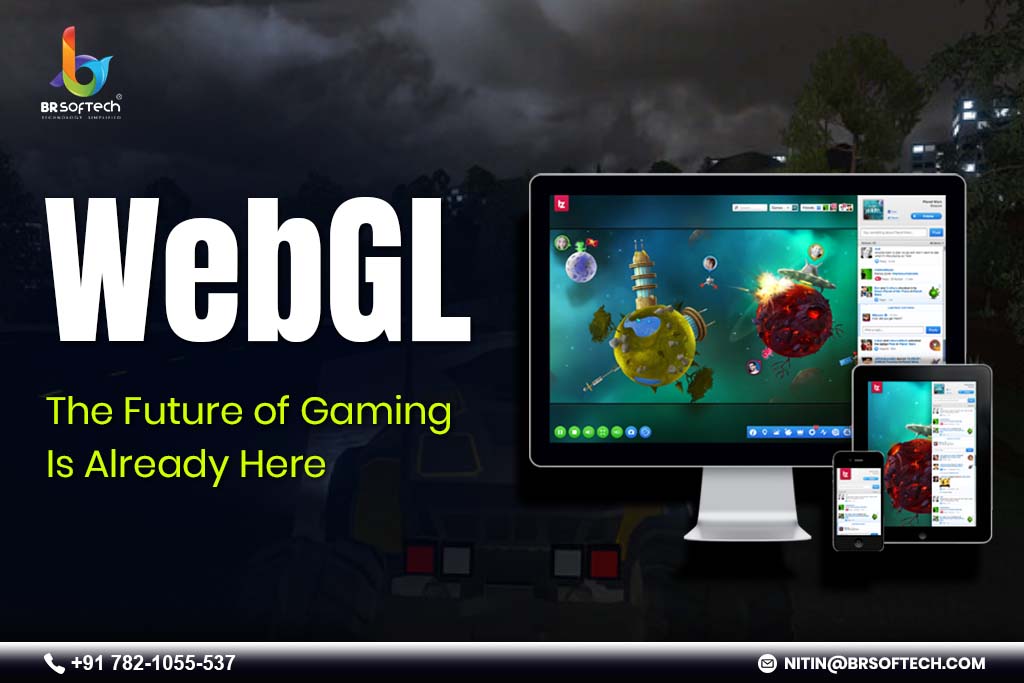
The world of gaming has changed a lot over the last ten years. In the past, making games meant creating different versions for each platform and many long downloads. Now, WebGL game-making is changing all this. It is helping us make and play games online in new ways. This technology is used for all kinds of games, from simple ones you play in your web browser to very large multiplayer WebGL games. The best part is, you don’t need to install anything to play them.
WebGL (Web Graphics Library) is a JavaScript API that lets you draw interactive 2D and 3D images in web browsers without needing any extra software. It gives direct access to the GPU (Graphics Processing Unit), which helps create nice visuals that run smoothly on many devices. For web game creators working in an HTML5 game development company, learning WebGL is very important.
Unlike old technologies that used Flash or other special plugins, WebGL is made with open web rules. This means games made with WebGL tools can be played by billions of people on computers, smartphones, and tablets just through a simple link. This is very important for game makers and players.
Why are Browser-Based Games Rising So Fast?
The age of browser-based games has truly started, and WebGL is the main reason for this change. Today, players want to play games right away without dealing with downloads, installations, or updates, and developers want to know. WebGL helps by making games that:
Instantly Accessible
Click a link and start playing right away. This smooth experience greatly helps to keep players interested and makes them less likely to leave. Traditional game stores often lose players because of long download and setup times, but WebGL removes this problem completely.
Universally Compatible
Cross-platform browser games made with WebGL work the same way on Chrome, Firefox, Safari, and Edge, whether on Windows, Mac, Linux, iOS, or Android. This means that developers can spend their time making good gameplay instead of fixing problems on different platforms.
Always Up-to-Date
Developers can send updates right away without waiting for the app store to approve them or asking users to manually download patches. This means they can make quick changes, fix bugs fast, and keep the game content up-to-date and interesting for players.
What are the Different Tools in WebGL Game Development?
The success of any technology depends on the quality of tools available to developers. Luckily, WebGL game development tools have become much better. They now offer high-quality features that can compete with traditional game engines. Here are some of the best options that are helping shape the WebGL game platform.
Three.js
Three.js has become the most popular WebGL tool. It gives a simple way to make 3D graphics. Because it has a big community and lots of guides, it is good for people who are moving from 2D to 3D or building their own game engines. Three.js is very good at making 3D worlds that feel real. It also makes it easier to use advanced WebGL animation techniques.
Babylon.js
Babylon.js is a strong and full-featured engine made for making games on websites. It has many tools, such as physics engines, particle systems, better lighting, and effects that come after the main graphics. The framework also has a visual editor, which helps developers build scenes with pictures, making it easier for both programmers and artists. Babylon.js is especially good at creating realistic 3D worlds that need complicated WebGL graphics programming.
PlayCanvas
PlayCanvas provides a cloud-based development environment with real-time collaboration features. This makes it a good choice for teams that are in different places. Its visual editor is similar to desktop game engines, but still easy to access because it is web-based. PlayCanvas has been used to create many successful commercial games. This shows that WebGL game development has a lot of potential.
Phaser
For developers who make 2D games, Phaser is a full program that has many built-in features. It includes physics, animation, and input handling. Even though it mainly uses the canvas for drawing, it also uses WebGL to help speed up rendering. Because of this, it is a good choice for making both 2D and 3D games that mainly focus on 2D gameplay.
Unity and Unreal Engine WebGL Exports
Most big game engines now support WebGL exports. This means developers can use the tools they already know and make games for the web. For example, Unity’s WebGL feature helps studios put their games on browsers. Also, Unreal Engine’s Pixel Streaming allows high-quality games to be streamed to web browsers. Because of this, making and sharing games on the web has become much easier.
One of WebGL’s biggest strengths is how it can be used for both 2D and 3D game development. This means that developers can choose the best visual style for their game ideas without needing to switch to a different technology. In summary, WebGL is flexible and helpful for making different kinds of games.
2D Game Development with WebGL
WebGL helps speed up 2D drawing by using the GPU hardware. This allows smooth movement even with thousands of sprites on the screen. Many popular 2D games, such as platformers, puzzle games, and shooters, work well with WebGL. The technology makes it easy to do things like sprite batching, parallax scrolling, particle effects, and skeletal animation. Because of this, 2D game makers get powerful tools that were hard to use in browsers before.
3D Game Development with WebGL
WebGL is very good at making 3D environments. It allows experiences that used to only be possible in downloadable games. Today, WebGL graphics techniques support features like physically-based rendering (PBR), real-time shadows and reflections, volumetric lighting, skeletal animation and blend shapes, as well as post-processing effects such as bloom and depth of field.
These features help developers make beautiful 3D worlds that can run directly in web browsers. Because of this, there are new chances for exciting stories and fun gameplay right on the web.
Cross-Platform Browser Games: Write Once, Play Anywhere
The hope of making games that work on different devices has been a dream for a long time in the game world. WebGL makes this much easier than older technologies. With just one set of code, developers can make their games work on desktop browsers, mobile browsers, and even inside apps on different devices.
Cross-platform gaming solutions give many big benefits. First, development teams only need to keep one codebase instead of making separate versions for iOS, Android, Windows, macOS, and Linux. Second, updates can be sent out all at once across all platforms, making sure the game is the same everywhere. Also, testing becomes easier because there is only one codebase to check. Finally, the total cost of owning and running the game is much lower than making different versions for each platform.
The gap between WebGL and native apps keeps getting smaller. Today, fast JavaScript engines, WebAssembly, and browser improvements help WebGL games run as smoothly and quickly as native apps in many types of games. Because of this, users can enjoy better performance even when using WebGL.
WebGL works well with modern web tools, making it good for online multiplayer WebGL games. The same browsers that show graphics also have strong networking features through WebSockets and WebRTC. This means they can support real-time multiplayer games without needing extra plugins or software.
Developers can use different types of multiplayer setups. These include authoritative server models with client prediction, peer-to-peer connections for low delay, and hybrid methods that find a good balance between speed and security. Popular multiplayer games on WebGL include competitive arena shooters, cooperative survival games, large persistent worlds, and social casual games with online multiplayer features. These options help make multiplayer games work well and be fun for players.
The web’s social side makes multiplayer games grow bigger. Players can easily share game links with friends, join matches without needing to create an account, and stream their gameplay right from browsers. Because of this social part, multiplayer WebGL games can grow naturally through sharing and word-of-mouth.
WebGL Animation Techniques: Bringing Games to Life
Animation is the heart of game-making, and WebGL has powerful tools to bring characters and scenes to life. Also, modern WebGL animation methods help create smooth and realistic movement. This makes the game more fun and easier to enjoy.
Skeletal animation systems for character movement using bone hierarchies and skinning
Morph target animation for facial expressions and deformations
Procedural animation via physics simulations and inverse kinematics
Particle systems for effects like fire, smoke, and magic spells
Shader-based animations manipulating vertices and pixels for visual effects
Advanced developers can use animation blending to smoothly switch between different movement states. They can also create state machines to handle complex animation logic and use timeline-based sequencing for cutscenes and scripted events. These techniques, which used to be only available to large AAA game studios, are now easy for web developers to use thanks to WebGL frameworks.
WebGL Graphics Programming: Power and Flexibility
For developers who want complete control, direct WebGL graphics programming gives endless creative options. Although frameworks make things easier with simple tools, knowing the basic WebGL API helps in making games that stand out. This knowledge allows for better optimization and special effects, which can make a game better than others.
WebGL involves shaders written in GLSL.
Handles vertex buffers and textures.
Builds efficient rendering processes, draw calls, and state changes.
Enables skilled developers to maximize browser capabilities.
Creates desktop-quality visual effects.
The WebGL 2.0 specification adds more power with new features like multiple render targets, 3D textures, and texture arrays. It also includes transform feedback, which helps with GPU-based particle systems, and better texture formats. Looking to the future, WebGPU offers even more features with less overhead and more direct control of the GPU. This will help web-based game development to grow and improve.
The Business Case for WebGL Game Development
Besides technical skills, WebGL game development also has clear business benefits. These benefits make it a good choice for both studios and independent developers. In addition, these advantages help explain why many game development companies prefer WebGL for creating games.
Reduced Distribution Costs
There are no app store fees or approval processes. Because of this, developers can keep a bigger share of the money they make from their apps. This makes it easier for developers to connect directly with players and earn more from their work.
Rapid Iteration
Deploy updates quickly and run A/B testing without waiting for approval. This makes it easy to change things based on data and respond fast to players.
Broader Audience Reach
Lowering the barriers to entry makes it easier for more players to try games. Also, the web’s search engine helps people find games, and sharing on social media helps more people discover them naturally.
Flexible Monetization
WebGL games make money in different ways. They can include ads, sell in-game items, offer subscription plans, or ask players to pay upfront for the game. Developers can try different ways to see what players like best, and they can change their plans based on how players behave.
Future-Proof Technology
As open web standards keep changing, WebGL games get better because browsers improve all the time. This happens without developers needing to do anything. Also, because the technology is based on standard APIs, it will last longer than platforms that are private or owned.
Challenges and Solutions in WebGL Game Development
While WebGL has many big benefits, developers need to know about possible problems and how to fix them. First, understanding these challenges can help prevent issues. Second, knowing how to solve problems makes using WebGL easier and better. In conclusion, being aware of challenges and solutions is very useful for developers.
Performance Optimization
Web environments can slow things down compared to native programs. To help fix this, you can use WebAssembly for parts that need to run fast. It’s also good to load and stream assets efficiently. Using object pooling and managing memory carefully can improve performance. Finally, it’s important to check and test regularly to find and fix things that cause delays.
Browser Compatibility
Even though browsers try to be the same, small differences still exist. Because of this, developers need to test their work on all the browsers they want to support often. They should also use tools and frameworks that help fix compatibility problems. Additionally, it is a good idea to make sure older browsers still work well by using graceful degradation. Lastly, developers should give clear system requirements to players so they know what they need.
Asset Loading
Web games need to download assets over networks that can be slow or fast. To make this better, it helps to use progressive loading systems. This means parts of the game load first, then the rest. Also, using texture compression formats like KTX2 can reduce file size. Creating asset bundles allows for easier and more efficient delivery. Finally, showing good loading screens with progress bars can keep players interested while they wait.
Mobile Performance
Mobile devices don’t have as much power as desktop computers. Because of this, we need to make things simpler. For example, we can use fewer polygons and smaller textures for mobile. We can also use level-of-detail (LOD) systems to help. Additionally, it’s important to reduce the number of draw calls by batching and instancing. Lastly, we must watch our memory use carefully so our devices don’t crash.
Getting Started with WebGL Game Development
For developers wanting to start with the WebGL game platform, the learning path is now easier than ever.
Learn the Fundamentals
Start by learning JavaScript well. Then, understand the basics of 3D math, including vectors, matrices, and how transformations work. Additionally, learn about game development concepts such as game loops and user input handling.
Choose Your Tools
Choose frameworks based on your project needs. First, you can start with Three.js or Babylon.js because they have many features. If your project is mainly in 2D, then Phaser is a good choice. Try using different tools to see which one you like best and fits your way of working.
Build Small Projects
Create easy-to-understand games to learn the main ideas. First, build a simple 3D scene with camera controls. Then, add basic physics and collision detection. Next, include sound effects and music. As you become more confident, gradually make the games more complex.
Study Existing Games
Look at successful WebGL games to see how they are made. Many developers share their source code on GitHub, which can help you learn. Also, join groups like the Three.js forum or the Babylon.js Discord to meet other developers and learn from them.
Optimize and Polish
Learn how to use performance tools that are built into browsers. Study the best ways to use WebGL to reduce draw calls and manage game states effectively. Also, make sure your website works well on all screen sizes by using a responsive design. Polish makes your projects look professional, whether they are hobbies or commercial products.
The Future of the WebGL Game Platform
The trajectory for web-based game development points toward continued growth and capability expansion. Several trends are shaping the future:
Trend
Description
WebGPU Adoption
Next-gen graphics API offering lower overhead and direct GPU access, enabling higher visual fidelity and improved performance for browser-based games.
Cloud Gaming Integration
WebGL acts as a delivery layer for cloud-rendered games, combining accessibility with high-end graphics streamed from remote servers.
Progressive Web Apps (PWAs)
WebGL games packaged as PWAs gain app-like features, offline play, push notifications, and home-screen installation, while keeping web-based distribution benefits.
AI and Machine Learning Integration
Libraries like TensorFlow.js allow AI-driven gameplay features, such as dynamic content, smarter NPCs, and personalized player experiences.
Virtual and Augmented Reality
WebXR enables VR and AR within browsers, letting developers create immersive experiences without the need for native apps.
Conclusion
WebGL game-making changes how people create fun games that have strong graphics, are easy to access, and come with strong tools. It is the future for making games that run in web browsers and work on many devices. This is good for small developers, big studios, or anyone trying new ideas. As the technology and support from the community grow, it makes WebGL a good choice for projects of any size.
As browsers get stronger and web standards keep improving, the distinction between “web games” and real games will disappear entirely. WebGL is not just part of this change; it is leading it. For developers who are willing to try this platform, there are more chances than ever for new ideas, creative work, and making money. The future of gaming is open, accessible, and built on web standards. The future of gaming is WebGL. If you wish to create a WebGL game for your audience, you can contact BR Softech, one of the leading HTML5 game development.
FAQs (Frequently-Asked Questions)
Q. What is WebGL?
Ans. WebGL (Web Graphics Library) is a JavaScript API that allows developers to render high-performance 2D and 3D graphics directly in the browser without the need for plugins.
Q. Why is WebGL important for modern web games?
Ans. WebGL provides hardware-accelerated graphics, enabling visually rich and interactive games that run smoothly across devices using only the browser.
Q. How does WebGL compare to traditional game engines?
Ans. While WebGL isn’t a full game engine, it powers many modern engines (like Babylon.js, Three.js, and PlayCanvas). This gives developers engine-level power combined with the accessibility of the web.
Q. Is WebGL compatible with all browsers?
Ans. Yes, WebGL is supported by all major browsers, including Chrome, Firefox, Safari, and Edge, ensuring a broad reach for game developers and players.
Q. Can WebGL be used with cloud gaming?
Ans. Yes. WebGL integrates seamlessly with cloud gaming pipelines, providing efficient rendering, streaming, and user interaction layers right in the browser.
Q. Is WebGL secure for online games?
Ans. WebGL operates within the browser’s sandboxed environment, which adds security benefits. Browsers also frequently update WebGL implementations to address performance and security concerns.
Nitin Garg is a seasoned tech entrepreneur and the visionary founder of BR Softech, a globally recognized leader in game development. With over 13 years of industry experience, he has been instrumental in transforming BR Softech into a powerhouse of innovation, offering cutting-edge solutions in Video Games, Blockchain Games, NFT Game Development, and card games like Poker, Rummy, and Teen Patti.
Nitin’s deep expertise in emerging technologies, combined with a sharp business acumen, has helped position BR Softech as a trusted name in the international gaming arena. Under his leadership, BR Softech has built a global clientele of 3,000+ satisfied customers and scaled a dedicated in-house team of 180+ skilled professionals.